
Introduction to the DTC (Distributor’s Tracking Centre)
Today, we will be looking at the Introduction to our DTC (Distributor’s Tracking Centre).
An example of the Username and Password is as follows:
-
Username: Mercedes2022
-
Password: 123456
This is the link to the DTC: AIM Global DTC App
Above, you can see an example of how the DTC opens using the link.
Dashboard Overview
This is what the frontend looks like before you log in.
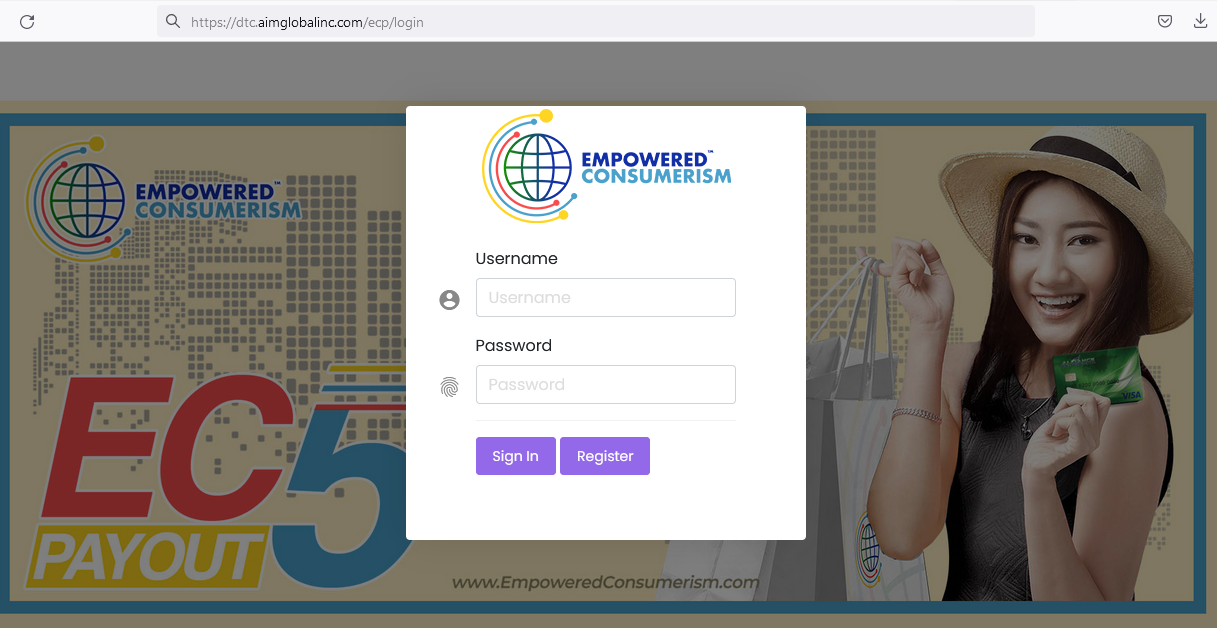
First, input the Username and Password given to you. Next, click on the Sign-in button.
Note: We don’t have any business with the Register button; only the administrator is authorized to process registrations.
Therefore, whenever you open the dashboard webpage, simply log in to your account using your username and password.
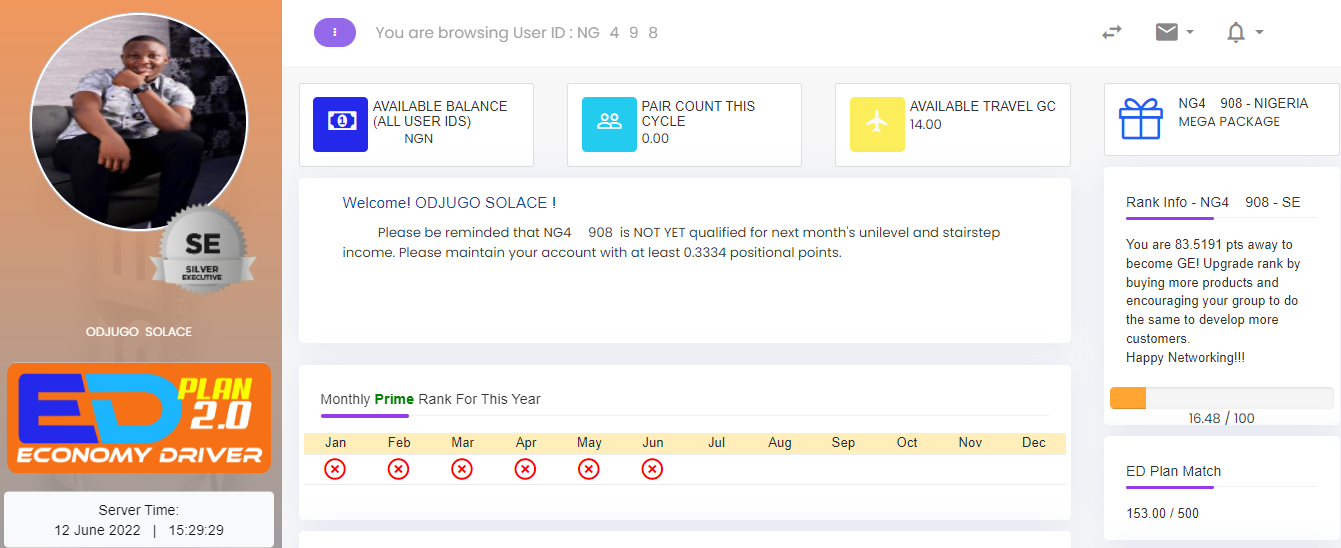
The screenshot above is from my personal account. Additionally, all screenshots used in this lecture and subsequent lectures will be taken from a desktop view.
However, for mobile users, the placement of menus and structure of the dashboard will differ slightly due to mobile optimization.
Nevertheless, all features you see on desktop are also available on mobile.
User ID and Multiple Accounts
The most important thing to note when you access the dashboard is your Account 1 User ID Number.
-
Example: User ID: NR752069
Importantly, you need to memorize your Account 1 User ID Number. Even if you have multiple accounts (3, 7, 15, etc.), knowing the first account ID allows you to access all others.
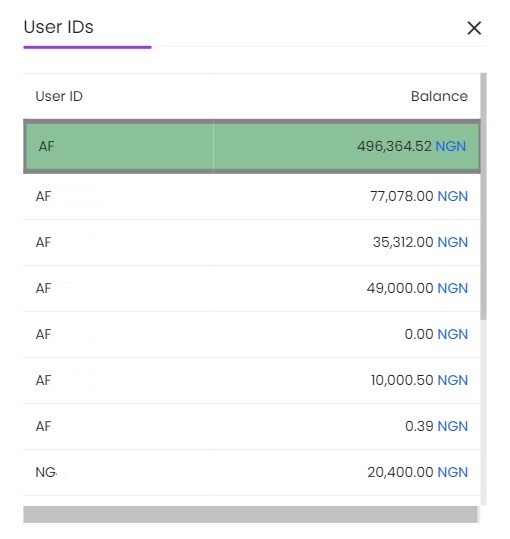
Then, on the top right-hand side of the dashboard, you will see a button labeled “View All User IDs”. Clicking it displays all your accounts in a drop-down menu.
For example, the screenshot shows multiple accounts. However, figures in your Naira balance may differ depending on your network activity.
On the left-hand side of the screenshot, all account User IDs are visible.
-
Note: For public display purposes, I cleaned off the rest of the numbers, leaving only the first two letters.
Network Activity
As you scroll down, you will see:
-
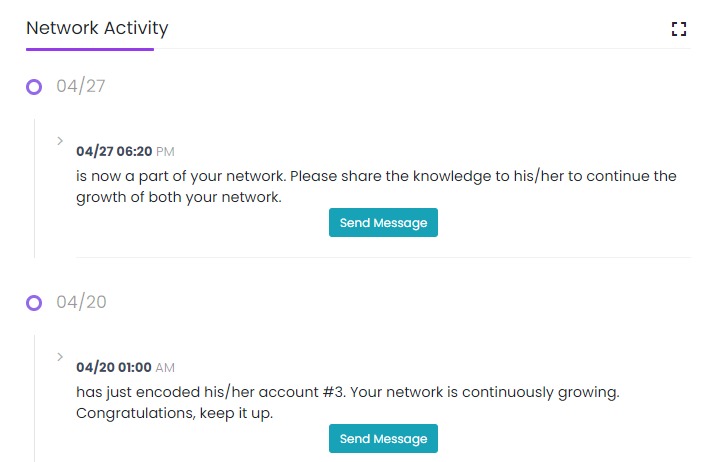
Network Activity: Shows statistics of people who joined your network, including the date and time they joined and how many accounts they opened.
-
Send Message button: Lets you send a warm welcome greeting to new members.
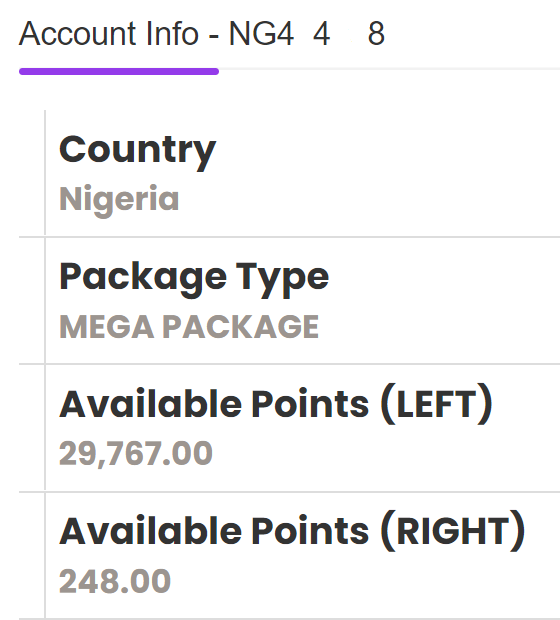
Furthermore, further down, depending on your device, you will see your account details, including Available Points (LEFT) and Available Points (RIGHT).
Understanding Available Points and the Binary System
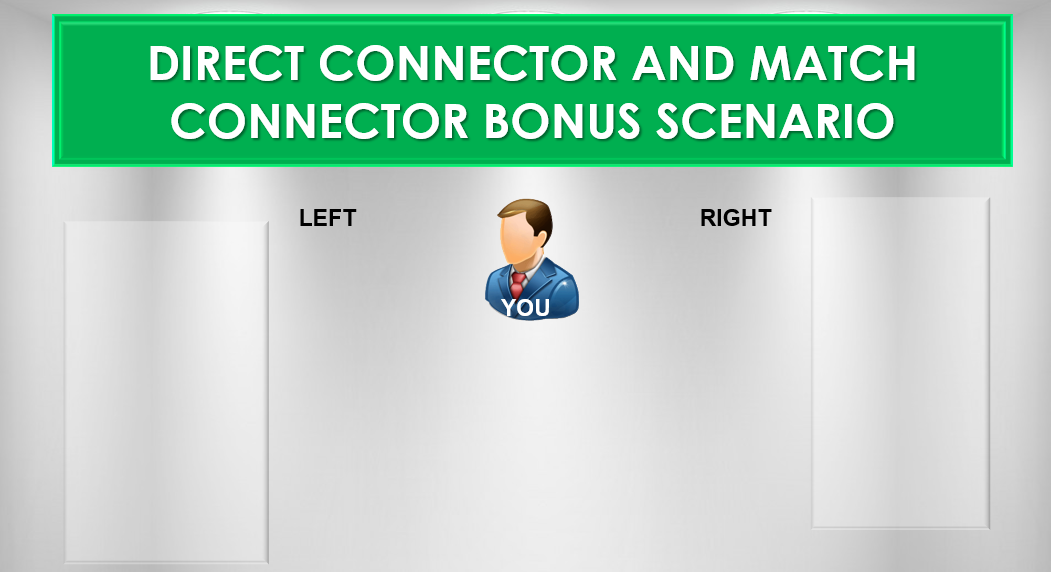
The business runs on a Binary System:
-
When a new person joins, they are placed on your left wing or right wing.
-
Each registration equals 700 Binary Points.
For example:
-
If you have 29,767 points on your left wing:
-
29,767 ÷ 700 ≈ 42 people (roughly)
-
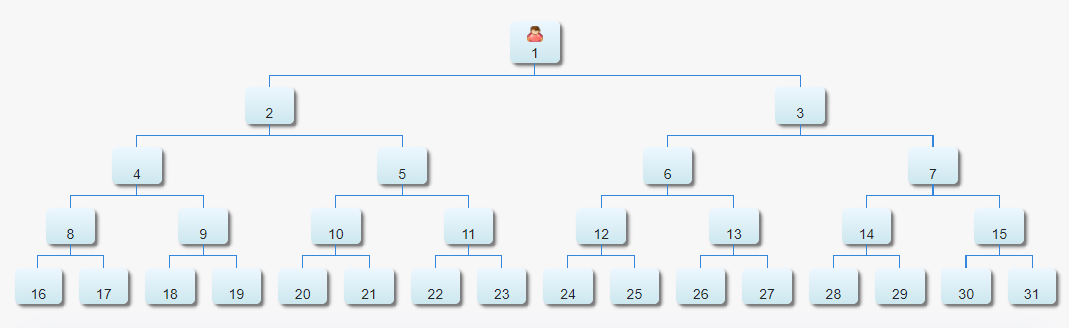
These 42 people each have their own left and right wings, just like a family tree.
Making Money: Direct Sponsorship & Matching Bonus
Direct Sponsorship
-
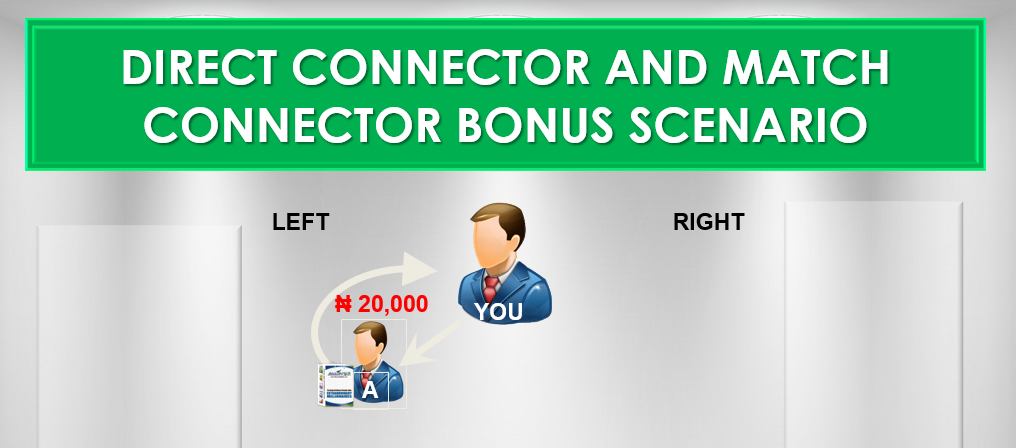
Each person you directly sponsor pays N20,000.
-
For instance: 42 people on your left wing → 42 × N20,000 = N840,000
However, you don’t need to sponsor all 42 yourself. Instead, you can choose to sponsor just 5 or 10 people, while the remaining members will sponsor the others.
Matching Bonus
The system says:
-
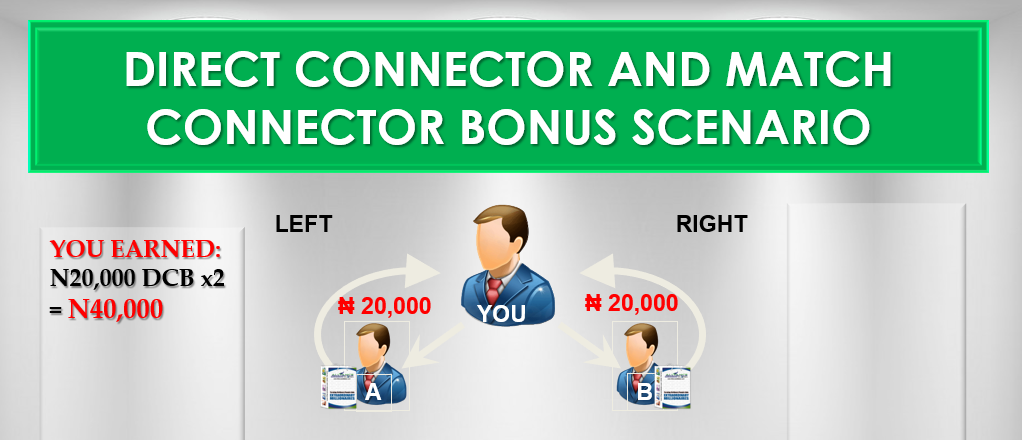
Anyone who sponsors a person directly receives N20,000.
-
Meanwhile, when a person joins both the left and right wings, they earn N7,000 as a Matching Bonus.
For example: If your first two people are on your left and right:
Direct bonuses: N20,000 + N20,000 = N40,000
Matching bonus: N7,000
Total: N47,000
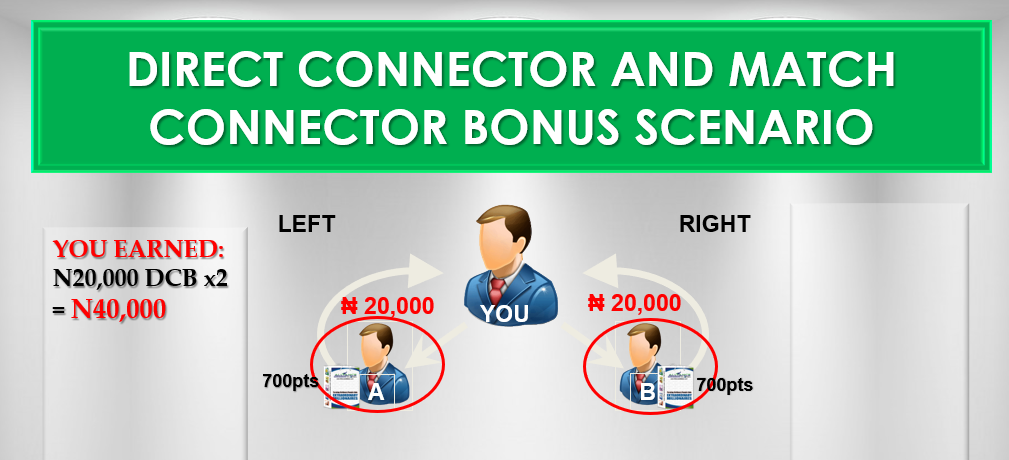
Therefore, you are paid instantly as new people join both wings.
Genealogy View
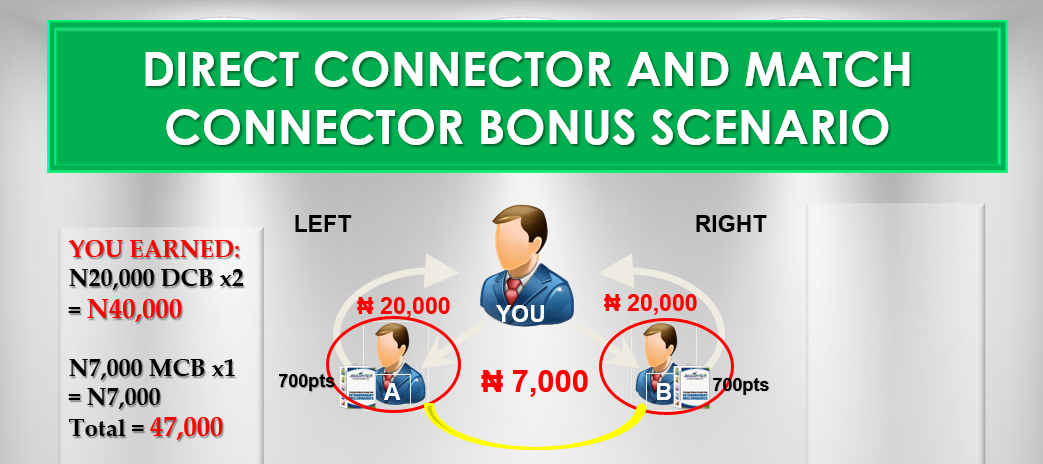
You can check your genealogy using the Genealogy Button in the menu.
-
Your left and right wings will be displayed.
-
Whenever someone joins directly under you, you are paid N20,000 as a Direct Connector Bonus.
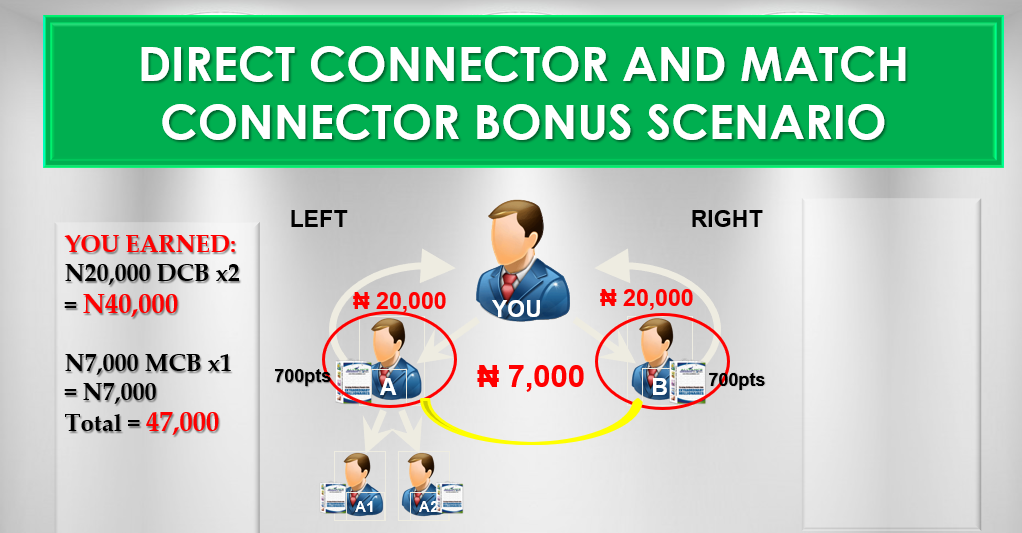
First person joins → placed on left wing
Second person joins → placed on right wing
Both give you N40,000 + N7,000 Matching Bonus = N47,000
Duplication Effect
-
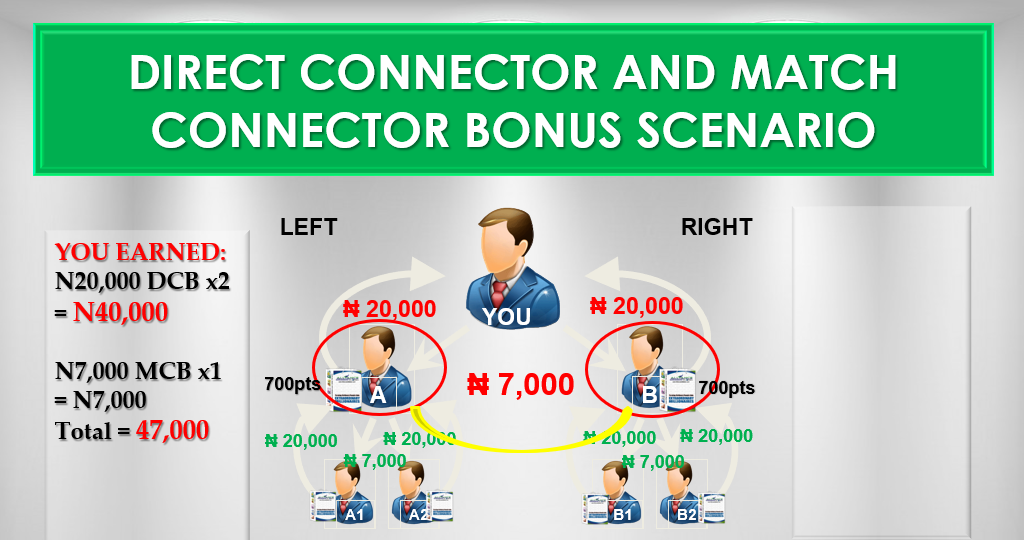
Your first success lines (A on left, B on right) also generate bonuses when they sponsor people.
-
For instance:
-
A sponsors 2 people → N47,000
-
B sponsors 2 people → N47,000
-
-
Consequently, you earn a Matching Bonus whenever new pairs form under your network.
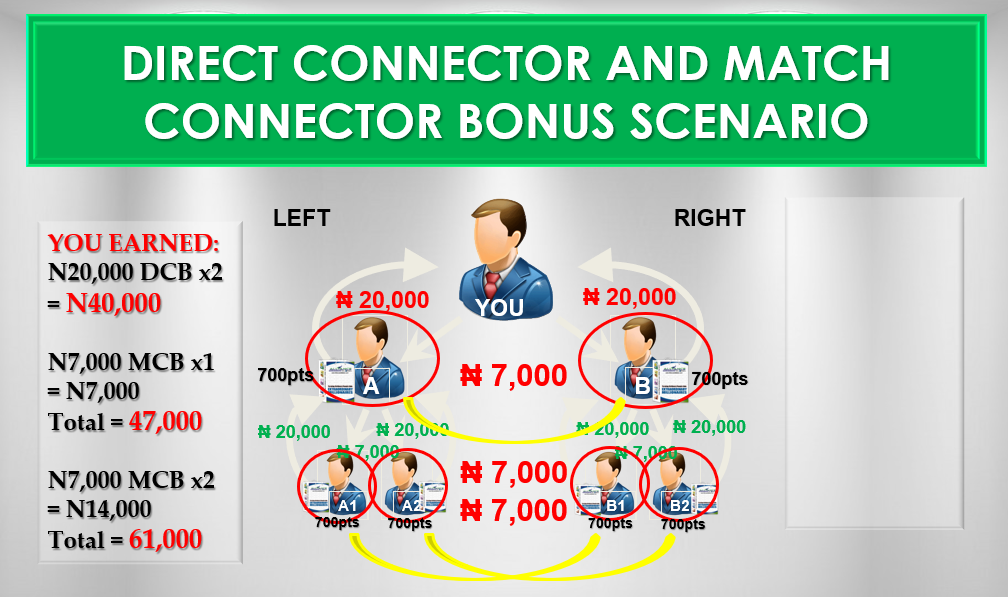
This is how collective residual income works — everyone benefits equally from duplication.
Practical Illustration of Duplication
-
Let’s say you have 42 people on the left:
-
Directly sponsored → N20,000 each
-
Others sponsored by team members → Nevertheless, you still earn a Matching Bonus
-
In other words, duplication works like a family tree or large organization: small beginnings, massive growth over time.
Examples: Churches, Facebook, etc.
-
Each new left-right pair in your network → N7,000 bonus
-
This continues down the generations, creating Collective Residual Income
Business Philosophy
-
Not a Get Rich Quick Scheme
-
Not a Ponzi Scheme
-
Not a Money Doubling Company
Instead, the business creates millionaires who then create other millionaires using duplication.
Benefits include: Health Freedom, Time Freedom, Financial Freedom
-
You are not employed, so you can pursue other businesses alongside.
-
Additionally, products include world-class supplements and beverages.
Encashment (How to Get Your Money)
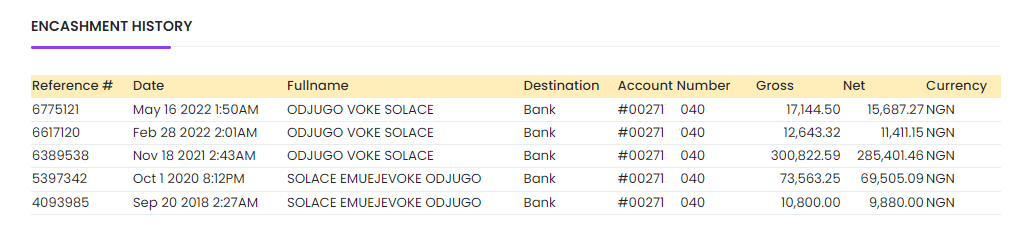
For example, an encashment is listed:
-
Encashment: N300,822.59
-
Received credit alert: N285,401.46
Deductions
-
FGN Tax: 5% → N15,041.13
-
Access Bank Fee: N600 (previously N380)
Tip: Always type the amount without commas when encashing. Example: 500000 (not 500,000)
Encashment Timeline
| Encashment Done On | Amount Drops On |
|---|---|
| Sunday | Monday |
| Monday | Tuesday |
| Tuesday | Wednesday |
| Wednesday | Thursday |
| Thursday | Friday |
| Friday | Saturday |
| Saturday | Sunday |

Final Notes & Invitation
-
Therefore, take full advantage of this opportunity if you are not yet a registered member.
-
Join a productive team in 2026 and work closely with leaders.
Contact Solace:
-
Phone/WhatsApp: +2348100112980
-
Email: [email protected]